Back to home
 Ludo Buddy
Play with a friend
Play Ludo in a private room in 5 easy steps. No sign-up needed.
Language
-
1Step 1
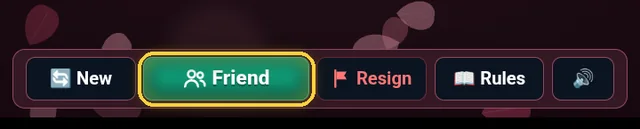
Open Friend
Open Ludo Buddy and tap the Friend button in the bottom bar.
-
Player 12Step 2
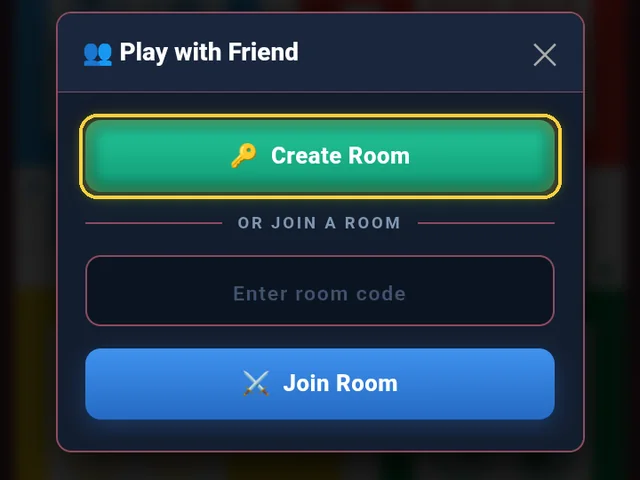
Create a room
Player 1 taps Create Room. A private room opens just for you two.
-
Player 13Step 3
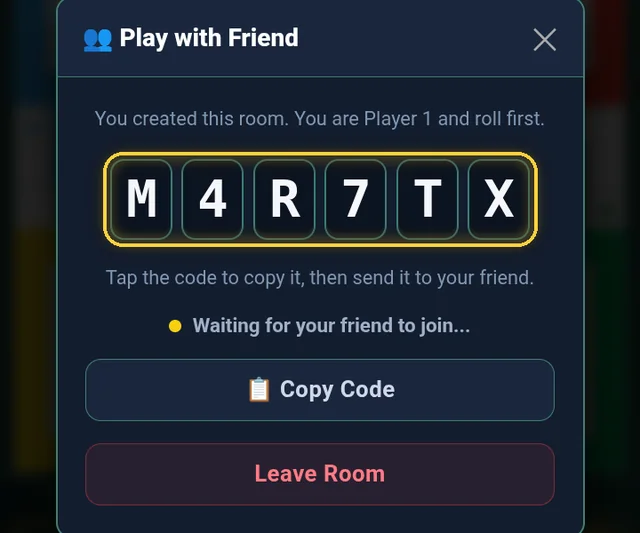
Share the code
A room code appears. Tap it to copy, then send it to your friend on any chat app.
-
Player 24Step 4
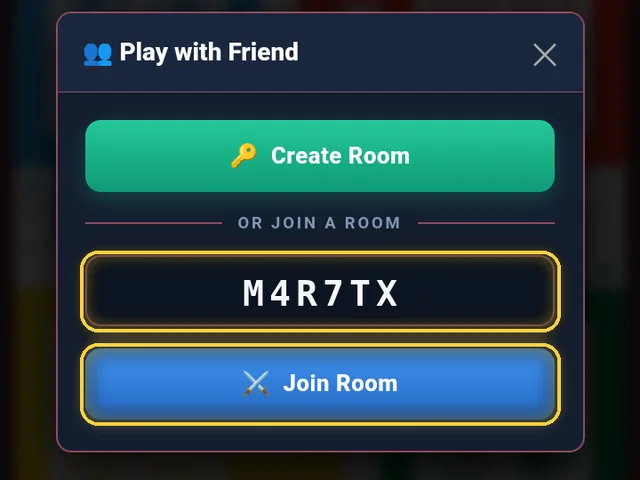
Your friend joins
Player 2 opens Friend, types the code under Or join a room, and taps Join Room.
-
5Step 5
Let's play!
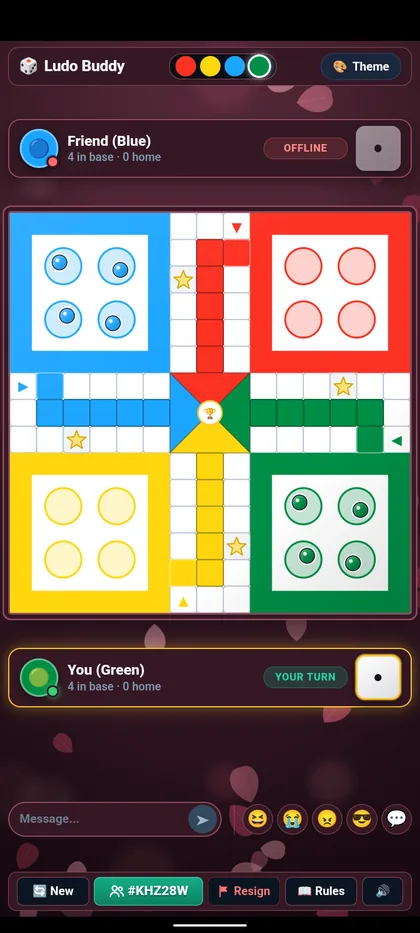
Player 1 rolls first. Take turns rolling the dice and race your tokens home. Use messages to chat during the game.
Good to know
- Both players need an internet connection.
- Share the code only with your friend. Anyone with the code can join.
- Tap Leave Room to exit. An empty room is removed after about 10 minutes.